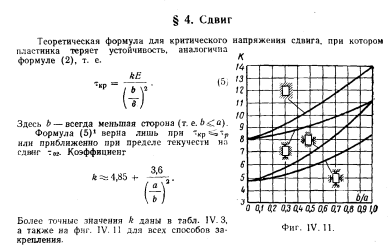
Нужно определить критические напряжения на сдвиг исходя из типа закрепления и отношения сторон прямоугольной пластины.
Начнем с настройка интерфейса, а в помощь возьмем Scene Builder
Создадим рабочую область с размером 900х600.
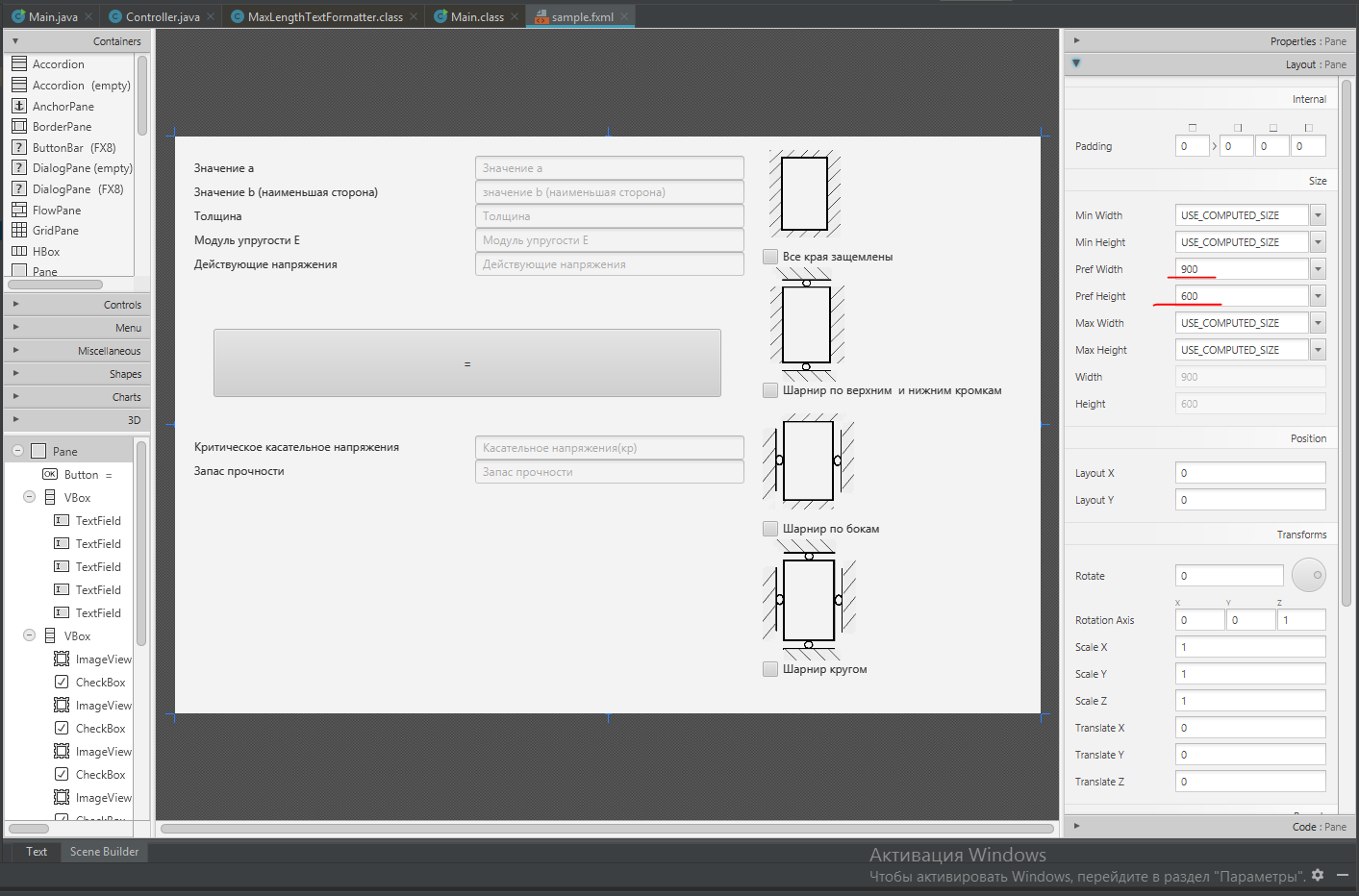
Создадим несколько контейнеров c размерами и отступами(я сначала разметку делал просто на листочке, но листочек уже потерялся).
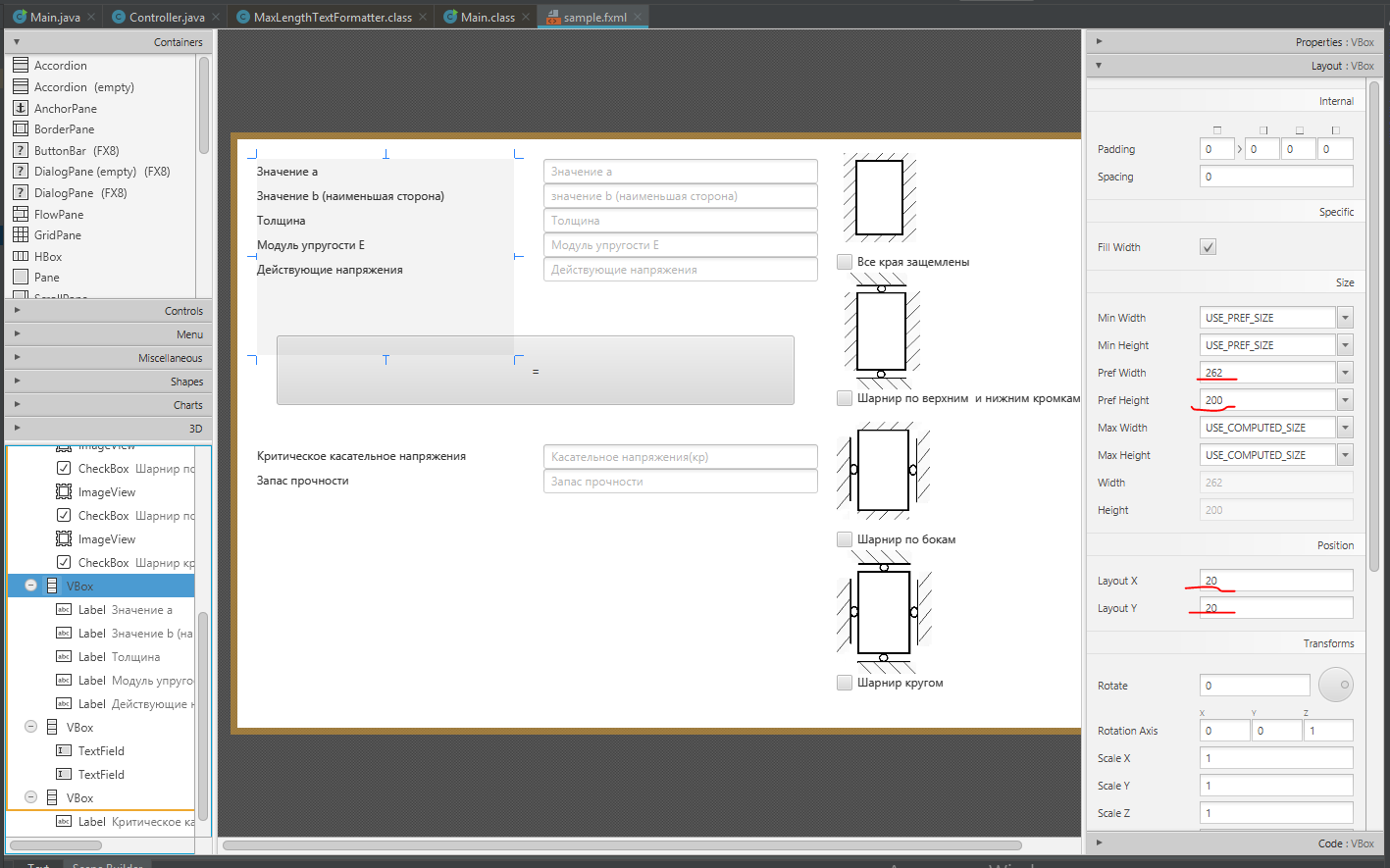
Далее пройдемся по внутренним элементам контейнеров
- Кнопка Button
Присвоим уникальное имя нашей кнопки и название метода в котором потом будем реализовывать наш код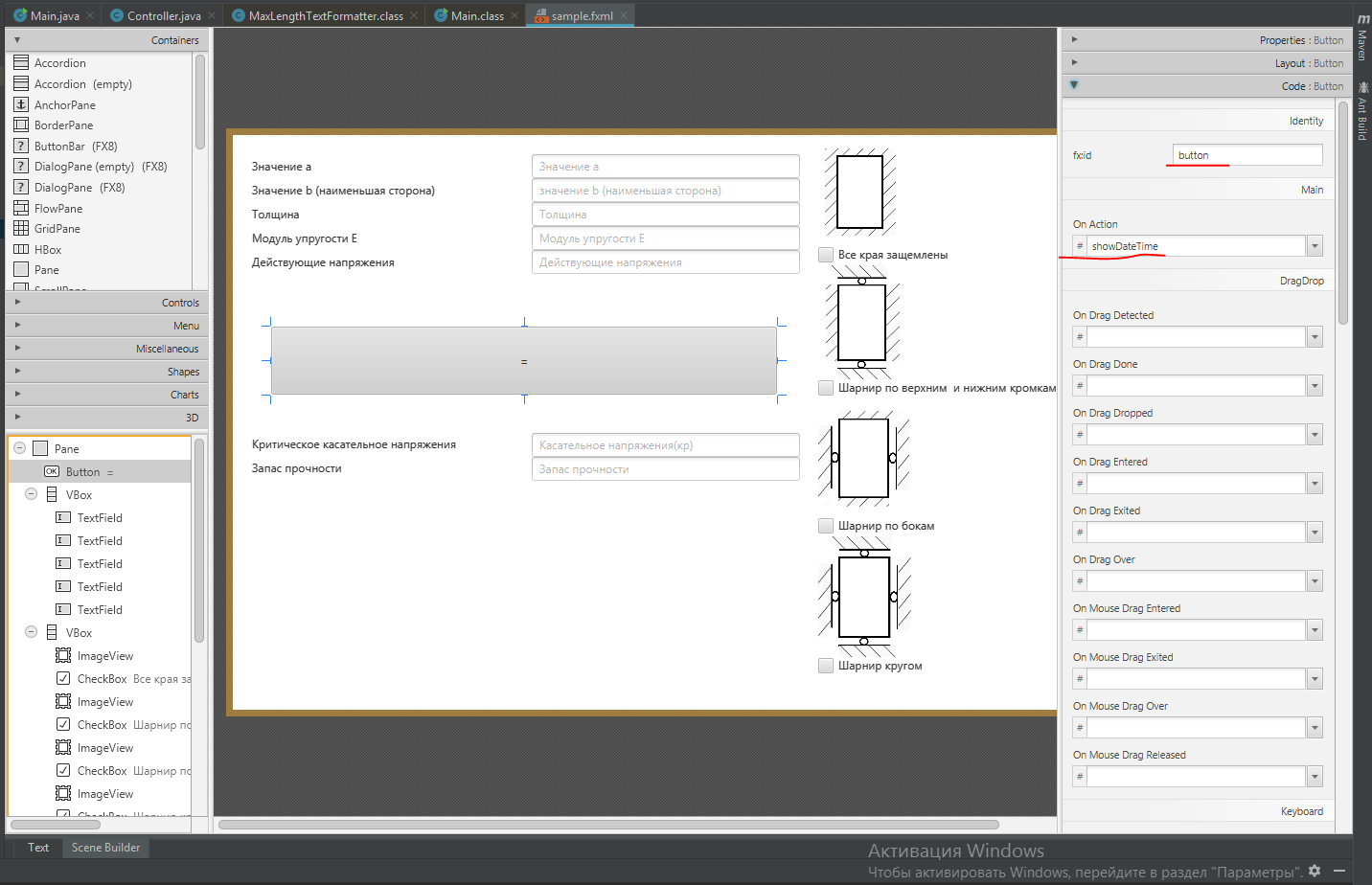
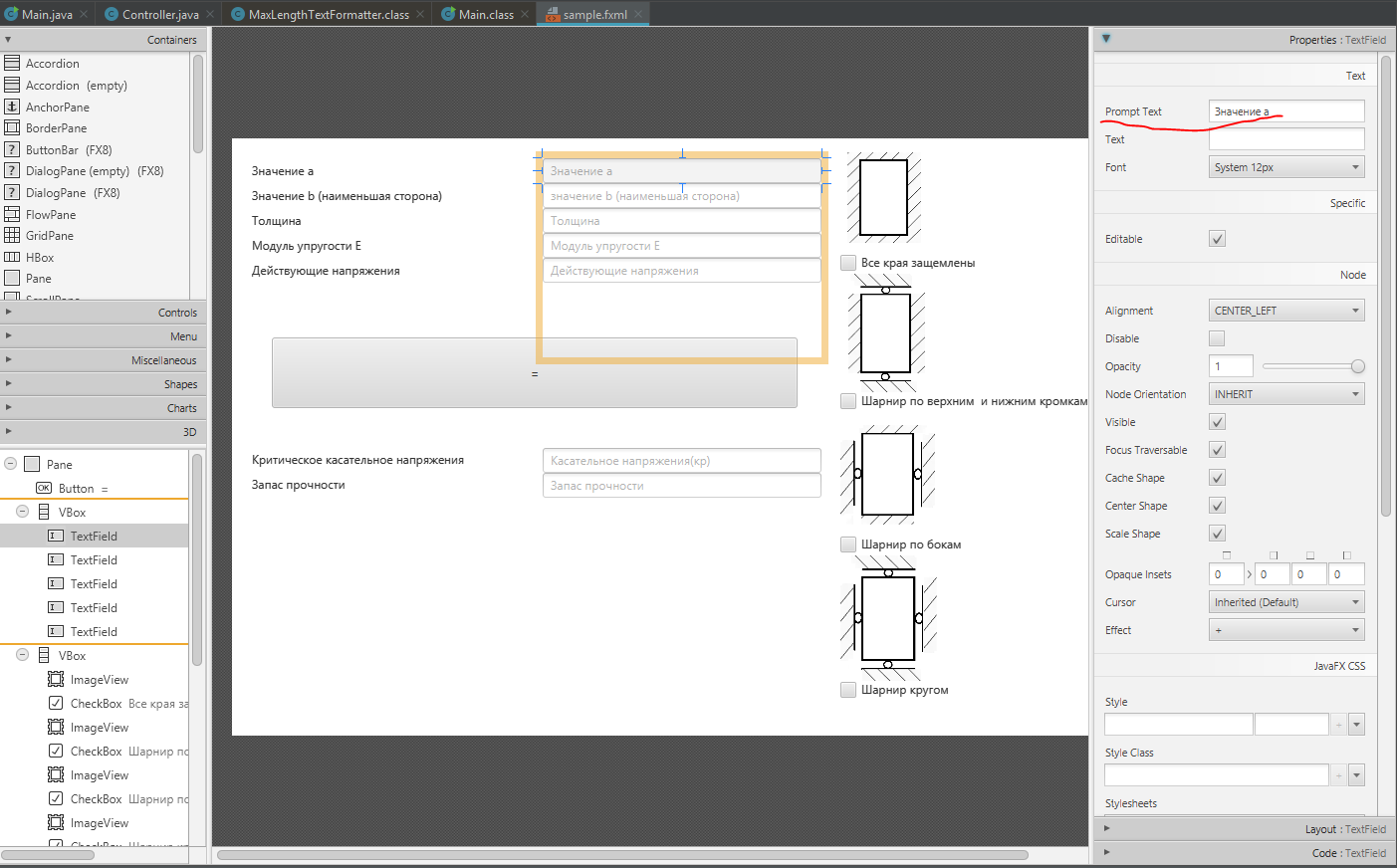
- Поле TextField
Присвоим уникальное имя нашему текстовому полю. Поле понадобиться для ввода/вывода числовых значения. Так же добавим дополнительное имя полю, которое при вводе символом будет пропадать
- Поле Label
Поле Label я использовал для обозначения ячеек. - Поле Image
Тут указываем имя существующей картинки находящийся в проекте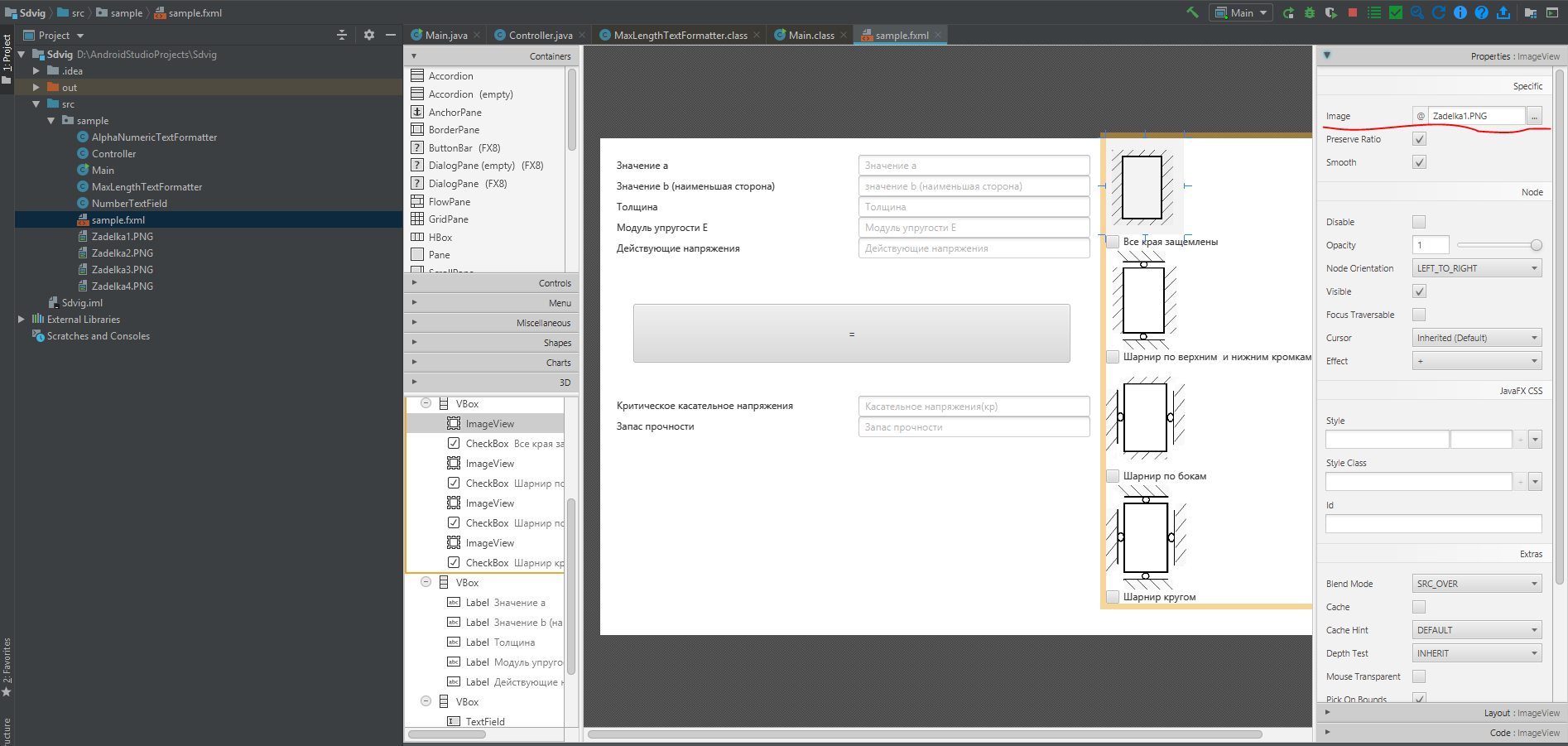
- Поле CheckBox
Тут указываем уникальное имя. Это необходимо для определения типа закрепления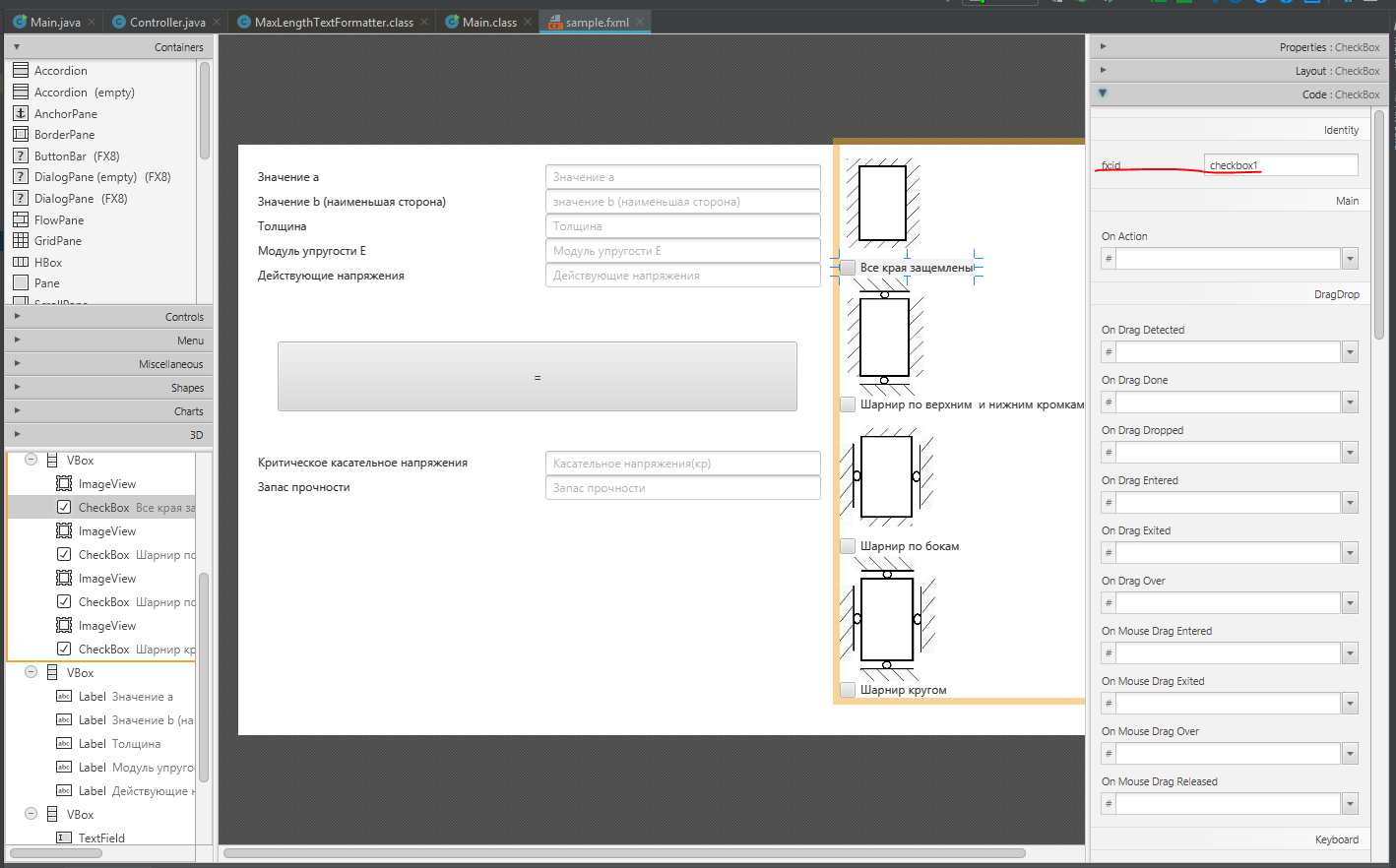
Конечный код файла sample.fxml
<?xml version="1.0" encoding="UTF-8"?> <?import javafx.scene.control.Button?> <?import javafx.scene.control.CheckBox?> <?import javafx.scene.control.Label?> <?import javafx.scene.control.TextField?> <?import javafx.scene.image.Image?> <?import javafx.scene.image.ImageView?> <?import javafx.scene.layout.GridPane?> <?import javafx.scene.layout.Pane?> <?import javafx.scene.layout.VBox?> <Pane prefHeight="600.0" prefWidth="900.0" xmlns="http://javafx.com/javafx/8.0.112" xmlns:fx="http://javafx.com/fxml/1" fx:controller="sample.Controller"> <children> <Button fx:id="button" layoutX="40.0" layoutY="200.0" mnemonicParsing="false" onAction="#showDateTime" prefHeight="71.0" prefWidth="528.0" text="=" /> <VBox layoutX="312.0" layoutY="20.0" minHeight="-Infinity" minWidth="-Infinity" prefHeight="200.0" prefWidth="280.0" GridPane.columnIndex="1"> <children> <TextField fx:id="myTextField1" promptText="Значение а" /> <TextField fx:id="myTextField2" promptText="значение b (наименьшая сторона)" /> <TextField fx:id="myTextField3" promptText="Толщина" /> <TextField fx:id="myTextField4" prefHeight="25.0" prefWidth="280.0" promptText="Модуль упругости Е" /> <TextField fx:id="myTextField6" prefHeight="25.0" prefWidth="280.0" promptText="Действующие напряжения" /> </children> </VBox> <VBox layoutX="611.0" prefHeight="562.0" prefWidth="271.0" GridPane.columnIndex="21"> <children> <ImageView fx:id="image" fitHeight="116.0" fitWidth="174.0" pickOnBounds="true" preserveRatio="true"> <image> <Image url="@Zadelka1.PNG" /> </image></ImageView> <CheckBox fx:id="checkbox1" mnemonicParsing="false" text="Все края защемлены" /> <ImageView fitHeight="122.0" fitWidth="237.0" layoutX="30.0" pickOnBounds="true" preserveRatio="true"> <image> <Image url="@Zadelka2.PNG" /> </image></ImageView> <CheckBox fx:id="checkbox2" mnemonicParsing="false" text="Шарнир по верхним и нижним кромкам" /> <ImageView fitHeight="127.0" fitWidth="272.0" pickOnBounds="true" preserveRatio="true"> <image> <Image url="@Zadelka3.PNG" /> </image></ImageView> <CheckBox fx:id="checkbox3" mnemonicParsing="false" text="Шарнир по бокам" /> <ImageView fitHeight="129.0" fitWidth="392.0" pickOnBounds="true" preserveRatio="true"> <image> <Image url="@Zadelka4.PNG" /> </image></ImageView> <CheckBox fx:id="checkbox4" mnemonicParsing="false" text="Шарнир кругом" /> </children> </VBox> <VBox layoutX="20.0" layoutY="20.0" minHeight="-Infinity" minWidth="-Infinity" prefHeight="200.0" prefWidth="262.0"> <children> <Label prefHeight="25.0" prefWidth="185.0" text="Значение a" /> <Label prefHeight="25.0" prefWidth="262.0" text="Значение b (наименьшая сторона)" /> <Label prefHeight="25.0" prefWidth="188.0" text="Толщина" /> <Label prefHeight="25.0" prefWidth="186.0" text="Модуль упругости E" /> <Label prefHeight="25.0" prefWidth="188.0" text="Действующие напряжения" /> </children> </VBox> <VBox layoutX="312.0" layoutY="311.0" prefHeight="200.0" prefWidth="280.0"> <children> <TextField fx:id="myTextField5" prefHeight="25.0" prefWidth="280.0" promptText="Касательное напряжения(кр)" /> <TextField fx:id="myTextField7" prefHeight="25.0" prefWidth="280.0" promptText="Запас прочности" /> </children> </VBox> <VBox layoutX="20.0" layoutY="310.0" prefHeight="200.0" prefWidth="262.0"> <children> <Label prefHeight="25.0" prefWidth="260.0" text="Критическое касательное напряжения" /> <Label prefHeight="25.0" prefWidth="187.0" text="Запас прочности" /> </children> </VBox> </children> </Pane>
Создание главного метода класса Main
package sample; import javafx.application.Application; import javafx.fxml.FXMLLoader; import javafx.scene.Parent; import javafx.scene.Scene; import javafx.stage.Stage; public class Main extends Application { @Override public void start(Stage primaryStage) { try { //Ссылка на sample.fxml(наш интерфейс).Название программы и создание нашей главной сцен Parent root = FXMLLoader.load(getClass().getResource("sample.fxml")); primaryStage.setTitle("Чистый сдвиг"); primaryStage.setScene(new Scene(root)); primaryStage.show(); } catch(Exception e) { e.printStackTrace(); } } public static void main(String[] args) { launch(args); } }
Создания класса Controller.Самое важное помечено комментариями
ackage sample; import javafx.fxml.FXML; import javafx.fxml.Initializable; import javafx.scene.control.Button; import javafx.scene.control.CheckBox; import javafx.scene.control.TextField; import javafx.stage.Stage; import java.net.URL; import java.util.ResourceBundle; import static java.lang.Double.NaN; import static java.lang.Double.parseDouble; import static java.lang.String.valueOf; public class Controller extends TextField implements Initializable { //Создание переменных разлчиных типов связанных с интерфейсом @FXML private TextField myTextField4; @FXML private TextField myTextField1; @FXML private TextField myTextField2; @FXML private TextField myTextField3; @FXML private TextField myTextField5; @FXML private TextField myTextField6; @FXML private TextField myTextField7; @FXML private CheckBox checkbox1; @FXML private CheckBox checkbox2; @FXML private CheckBox checkbox3; @FXML private CheckBox checkbox4; private double k; private double krit; private double zapas; @Override public void initialize(URL location, ResourceBundle resources) { //Применения фильтра для ввода параметров myTextField1.setTextFormatter(new AlphaNumericTextFormatter()); myTextField2.setTextFormatter(new AlphaNumericTextFormatter()); myTextField3.setTextFormatter(new AlphaNumericTextFormatter()); myTextField4.setTextFormatter(new AlphaNumericTextFormatter()); //myTextField6.setTextFormatter(new AlphaNumericTextFormatter()); } public void showDateTime() throws Exception { //Перевод строки в число Double a = parseDouble(myTextField1.getText()); Double b = parseDouble(myTextField2.getText()); Double t = parseDouble(myTextField3.getText()); Double e = parseDouble(myTextField4.getText()); Double c = b / a; //Условия выбора CheckBox и отношения стороны if (checkbox1.isSelected()) { if (c <= 0.1) { k = 8; } else if ((c > 0.1) && (c <= 0.15)) { k = 8.5; } else if ((c > 0.15) && (c <= 0.2)) { k = 8.8; } else if ((c > 0.2) && (c <= 0.25)) { k = 9; } else if ((c > 0.25) && (c <= 0.30)) { k = 9.2; } else if ((c > 0.3) && (c <= 0.35)) { k = 9.5; } else if ((c > 0.35) && (c <= 0.40)) { k = 9.8; } else if ((c > 0.40) && (c <= 0.45)) { k = 10.3; } else if ((c > 0.45) && (c <= 0.50)) { k = 10.5; } else if ((c > 0.5) && (c <= 0.55)) { k = 10.8; } else if ((c > 0.55) && (c <= 0.6)) { k = 11; } else if ((c > 0.6) && (c <= 0.65)) { k = 11.5; } else if ((c > 0.65) && (c <= 0.7)) { k = 11.8; } else if ((c > 0.7) && (c <= 0.75)) { k = 12; } else if ((c > 0.75) && (c <= 0.8)) { k = 12.5; } else if ((c > 0.8) && (c <= 0.85)) { k = 12.8; } else if ((c > 0.85) && (c <= 0.9)) { k = 13; } else if ((c > 0.9) && (c <= 0.95)) { k = 13.5; } else if ((c > 0.95) && (c <= 1)) { k = 14; } krit = (k * e) / (Math.pow((b / t), 2)); String d = valueOf(krit); //перевод числа в строку myTextField5.setText(d); } else if (checkbox2.isSelected()) { if (c <= 0.1) { k = 8; } else if ((c > 0.1) && (c <= 0.15)) { k = 8.2; } else if ((c > 0.15) && (c <= 0.2)) { k = 8.4; } else if ((c > 0.2) && (c <= 0.25)) { k = 8.5; } else if ((c > 0.25) && (c <= 0.30)) { k = 8.6; } else if ((c > 0.3) && (c <= 0.35)) { k = 8.7; } else if ((c > 0.35) && (c <= 0.40)) { k = 8.9; } else if ((c > 0.40) && (c <= 0.45)) { k = 9; } else if ((c > 0.45) && (c <= 0.50)) { k = 9.2; } else if ((c > 0.5) && (c <= 0.55)) { k = 9.4; } else if ((c > 0.55) && (c <= 0.6)) { k = 9.5; } else if ((c > 0.6) && (c <= 0.65)) { k = 9.7; } else if ((c > 0.65) && (c <= 0.7)) { k = 10; } else if ((c > 0.7) && (c <= 0.75)) { k = 10; } else if ((c > 0.75) && (c <= 0.8)) { k = 10.2; } else if ((c > 0.8) && (c <= 0.85)) { k = 10.5; } else if ((c > 0.85) && (c <= 0.9)) { k = 10.6; } else if ((c > 0.9) && (c <= 0.95)) { k = 11; } else if ((c > 0.95) && (c <= 1)) { k = 11; } krit = (k * e) / (Math.pow((b / t), 2)); String d = valueOf(krit); myTextField5.setText(d); } else if (checkbox3.isSelected()) { if (c <= 0.1) { k = 4.9; } else if ((c > 0.1) && (c <= 0.15)) { k = 5.1; } else if ((c > 0.15) && (c <= 0.2)) { k = 5.2; } else if ((c > 0.2) && (c <= 0.25)) { k = 5.5; } else if ((c > 0.25) && (c <= 0.30)) { k = 5.8; } else if ((c > 0.3) && (c <= 0.35)) { k = 6; } else if ((c > 0.35) && (c <= 0.40)) { k = 6.2; } else if ((c > 0.40) && (c <= 0.45)) { k = 6.5; } else if ((c > 0.45) && (c <= 0.50)) { k = 6.9; } else if ((c > 0.5) && (c <= 0.55)) { k = 7; } else if ((c > 0.55) && (c <= 0.6)) { k = 7.5; } else if ((c > 0.6) && (c <= 0.65)) { k = 8; } else if ((c > 0.65) && (c <= 0.7)) { k = 8.2; } else if ((c > 0.7) && (c <= 0.75)) { k = 8.5; } else if ((c > 0.75) && (c <= 0.8)) { k = 9.1; } else if ((c > 0.8) && (c <= 0.85)) { k = 9.5; } else if ((c > 0.85) && (c <= 0.9)) { k = 10; } else if ((c > 0.9) && (c <= 0.95)) { k = 10.5; } else if ((c > 0.95) && (c <= 1)) { k = 11; } krit = (k * e) / (Math.pow((b / t), 2)); String d = valueOf(krit); myTextField5.setText(d); } else if (checkbox4.isSelected()) { if (c <= 0.1) { k = 4.8; } else if ((c > 0.1) && (c <= 0.15)) { k = 5; } else if ((c > 0.15) && (c <= 0.2)) { k = 5; } else if ((c > 0.2) && (c <= 0.25)) { k = 5.1; } else if ((c > 0.25) && (c <= 0.30)) { k = 5.2; } else if ((c > 0.3) && (c <= 0.35)) { k = 5.4; } else if ((c > 0.35) && (c <= 0.40)) { k = 5.5; } else if ((c > 0.40) && (c <= 0.45)) { k = 5.6; } else if ((c > 0.45) && (c <= 0.50)) { k = 5.9; } else if ((c > 0.5) && (c <= 0.55)) { k = 6; } else if ((c > 0.55) && (c <= 0.6)) { k = 6.2; } else if ((c > 0.6) && (c <= 0.65)) { k = 6.5; } else if ((c > 0.65) && (c <= 0.7)) { k = 6.7; } else if ((c > 0.7) && (c <= 0.75)) { k = 7; } else if ((c > 0.75) && (c <= 0.8)) { k = 7.1; } else if ((c > 0.8) && (c <= 0.85)) { k = 7.4; } else if ((c > 0.85) && (c <= 0.9)) { k = 7.8; } else if ((c > 0.9) && (c <= 0.95)) { k = 8; } else if ((c > 0.95) && (c <= 1)) { k = 8.3; } krit = (k * e) / (Math.pow((b / t), 2)); String d = valueOf(krit); myTextField5.setText(d); } Double f = parseDouble(myTextField6.getText()); zapas = krit/f; String g = valueOf(zapas); myTextField7.setText(g); } }
Создание двух классов для применения фильтра ввода данных (Исключение букв, а так же возможность ограничения количества вводы/выводы). Решения не мое, а нашел я его на stackoverflow.Из всех предложенных оно мне показалось самым простым и понятным.
Класс AlphaNumericTextFormatter
public class AlphaNumericTextFormatter extends TextFormatter<String> { /** The Constant ALPHA_NUMERIC_ONLY. */ //private static final String ALPHA_NUMERIC_ONLY = "^[a-zA-Z0-9]*$"; /** MAKE NUMERIC ONLY **/ private static final String DIGITS_ONLY = "^[0-9.]*$"; /** * Instantiates a new alpha numeric text formatter. */ public AlphaNumericTextFormatter() { super(applyFilter(null)); } /** * Instantiates a new alpha numeric text formatter. * * @param maxLength * the max length */ public AlphaNumericTextFormatter(int maxLength) { super(applyFilter(new MaxLengthTextFormatter(maxLength).getFilter())); } /** * Apply filter. * * @param filter * the filter * @return the unary operator */ private static UnaryOperator<Change> applyFilter(UnaryOperator<Change> filter) { return change -> { if (change.getControlNewText() != null && change.getControlNewText().matches(DIGITS_ONLY)) { if (filter != null) { filter.apply(change); } return change; } return null; }; } }
Класс MaxLengthTextFormatter
package sample; import java.util.function.UnaryOperator; import javafx.scene.control.TextFormatter; import javafx.scene.control.TextFormatter.Change; public class MaxLengthTextFormatter extends TextFormatter<String> { private int maxLength; public MaxLengthTextFormatter(final int maxLength) { super(new UnaryOperator<Change>() { public Change apply(Change change) { if (change.isDeleted()) { if (change.getControlNewText().length() > maxLength) { change.setText(change.getText().substring(0, maxLength)); } } else if (change.getControlText().length() + change.getText().length() >= maxLength) { int maxPos = maxLength - change.getControlText().length(); change.setText(change.getText().substring(0, maxPos)); } return change; } }); this.maxLength = maxLength; } public int getMaxLength() { return this.maxLength; } }
Ну и в конце создания jar файла
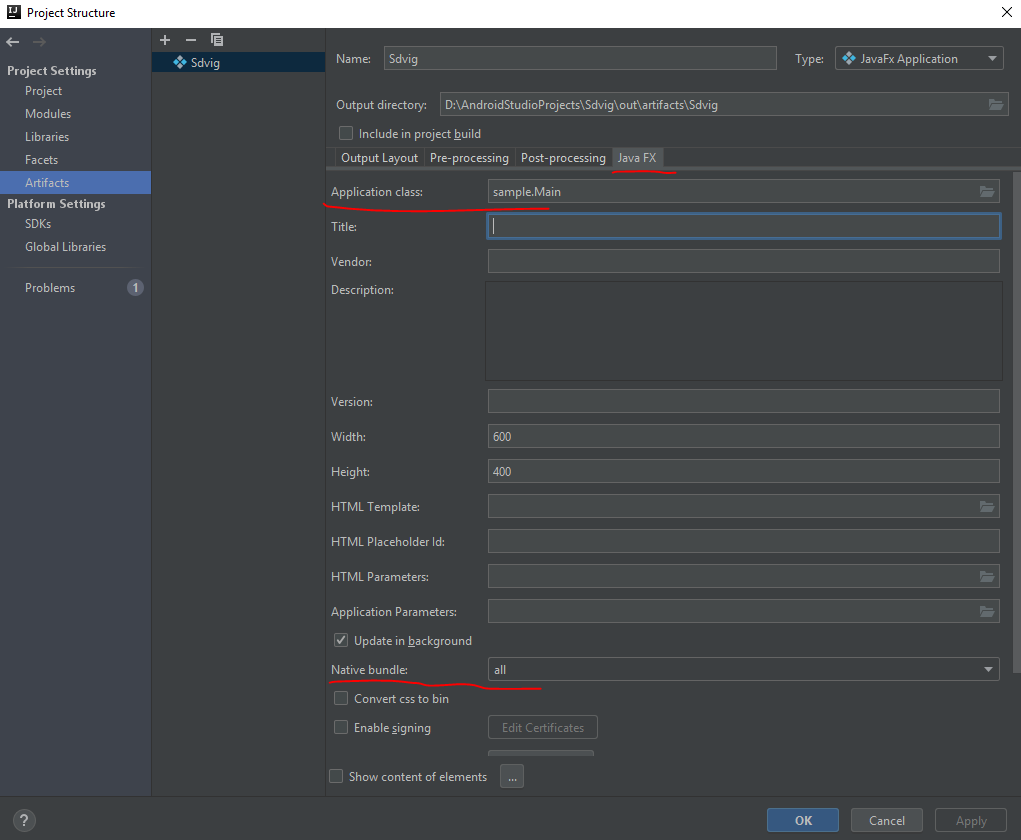

На этом все. Теперь готов файл который будет запускаться на любом компьютере с установленной java.
ссылка на оригинал статьи https://habr.com/ru/post/518448/
Добавить комментарий