I have a Flydigi Vader 5 Pro controller and its Charging Dock 2 Pro (it shows up in the system as «Flydigi CD2»). The dock has 162 RGB LEDs arranged in a triangle-shaped hexagonal grid, and the LEDs themselves are good: bright, even, with decent color. The effects in Flydigi’s own app, Space Station, looked cheap though: slow animations step visibly, gradients between two colors turn muddy in the middle, and the rainbow breaks into bands.
I wondered whether the hardware or the software was to blame. Spoiler: the software. The result is FlyGlow, an open-source lighting editor for this dock. Below: how the stock effects work, how the dock receives frames, what’s wrong with the colors and how to make it all smooth.
How Space Station renders effects
Space Station is an Electron app, and a background .NET service talks to the hardware. Effects are computed right in the UI’s JavaScript; the service only forwards finished frames to the dock. Open the effect generators and everything is visible at once:
-
Every effect is exactly 50 frames per cycle. At slow speeds a single frame stays up for 100 ms or more, so a smooth effect turns into a slideshow.
-
Colors are blended linearly in sRGB. The midpoint between two saturated colors comes out dark and gray: linear interpolation of gamma-encoded values matches neither physics nor perception.

-
The rainbow is built with HSL. HSL is perceptually uneven: yellow and cyan look like wide bright bands, and blue sinks.
-
Fades are computed on 8-bit values rounded down. At the dark end a one-unit step is already visible, and the “breathing” effect fades out in jerks.
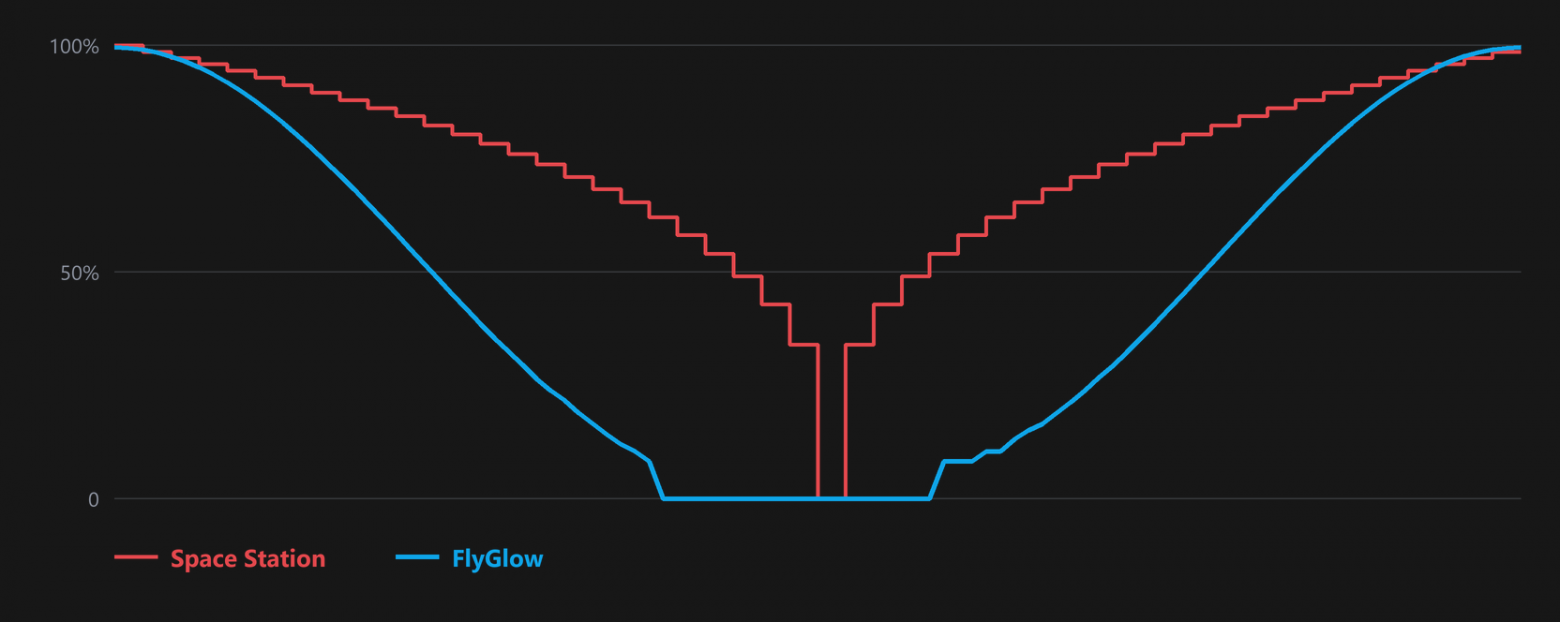
The key takeaway: the dock doesn’t generate effects itself. It just plays back the frames it was sent. So better frames mean better lighting.
The dock’s protocol was first reverse engineered by the OpenFlydigi project (a Linux utility for the Apex 5 and CD2). I re-checked everything on my own unit with firmware 0.0.3.9.
|
Parameter |
Value |
|
USB |
VID 37D7, PID 6001, HID interface, 64-byte reports |
|
LEDs |
162, in 16 rows: 14, 15, 16, 15, 14, 13 … 3 |
|
Frames per cycle |
up to 255 (one-byte counter), Space Station sends at most 200 |
|
Frame step |
period in 20 ms units, so at most 50 frames per second |
|
Brightness |
1..100 |
|
Upload |
command 97 opens the transfer, command 98 carries 50-byte packs, each acknowledged |
A packet is simple: 5A A5 <command> <length> <data> <checksum>, where the checksum is an 8-bit sum of the bytes from the command to the end of the data. A lighting config is a six-byte header (frame count, period, brightness, mode, direction, palette size) followed by 486 bytes per frame (162 × RGB).
A few things I noticed in practice:
-
One acknowledged pack takes about 9 ms, so a frame uploads in roughly 85 ms and a 200-frame cycle in about 17 seconds. That rules out OpenRGB-style live control, but it’s fine for a precomputed animation.
-
Frame memory isn’t cleared on upload: if the header declares more frames than were actually sent, the dock plays leftovers of the previous animation mixed with garbage.
-
Space Station has an off-by-one error in its pack count: it declares
length / 50 + 1packs but sendsceil(length / 50). The two differ when the length is a multiple of 50, which happens for frame counts that leave a remainder of 4 when divided by 25. FlyGlow simply avoids those counts.
Color: linear light and OKLab
sRGB values aren’t amounts of light, they’re gamma-encoded numbers: 50% in sRGB is roughly 21% of the light. So FlyGlow keeps everything in linear light, and layers add up and blend the way light would.
Linear light alone isn’t enough for gradients: the eye perceives brightness nonlinearly, so a transition in linear RGB looks uneven too. For perceptual interpolation FlyGlow uses OKLab, Björn Ottosson’s color space where equal steps look equal. Mixing two colors looks like this:
Rgb mix(const Rgb& a, const Rgb& b, float t){ const Lab la = toOklab(a), lb = toOklab(b); return fromOklab({la.L + (lb.L - la.L) * t, la.a + (lb.a - la.a) * t, la.b + (lb.b - la.b) * t});}
Three more tricks:
-
Fading by perceived brightness. The eye judges brightness roughly as the cube root of the amount of light, which is what OKLab’s L axis is built on. So for a fade that looks even, brightness is set in “perceived” units and converted to linear light by cubing it. “Breathing” no longer drops off sharply at the end.
-
A rainbow made of saturated primaries, interpolated in OKLab, with stops spaced in proportion to the OKLab distance between the colors. Hue moves at an even pace, without wide yellow and cyan bands.
-
Configurable output gamma. A PWM-driven LED emits light linearly with its value, so by default the dock gets linear values and brightness ratios match the preview. For fans of the “Space Station look” there’s a slider.
Eight bits and dithering
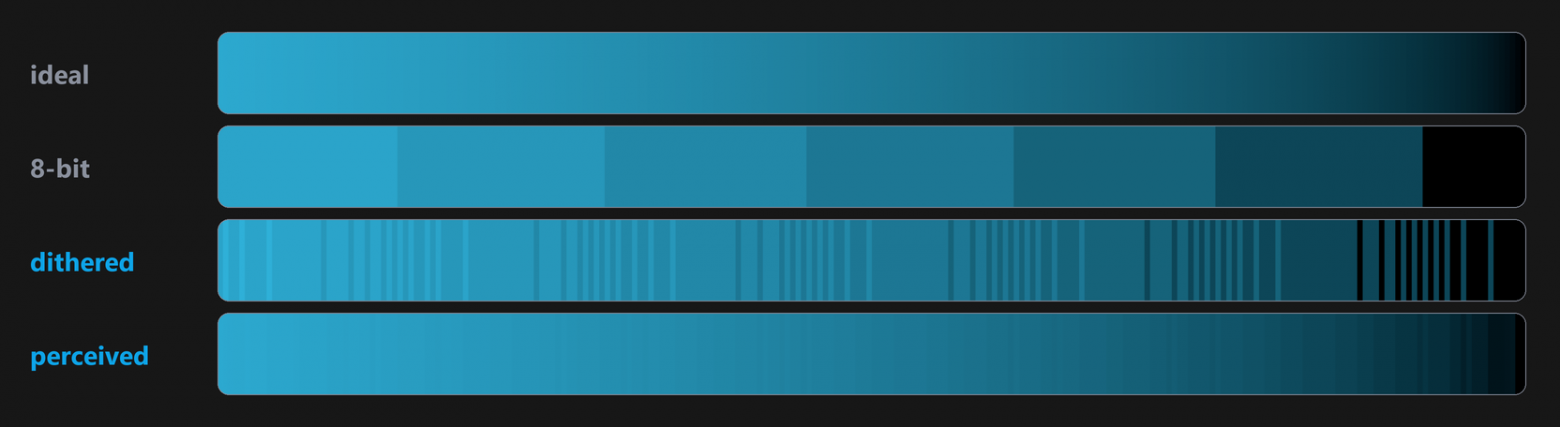
Linear values are great everywhere except the dark end: in eight bits the dimmest level is already 1/255, so a smooth fade into darkness steps again. Temporal dithering helps: each LED’s rounding error carries over to the next frame. The animation loops, so the pass runs twice and the second pass is kept: the error entering the first frame is then exactly what builds up by the end of the cycle.
Seamless loops
The dock plays the animation in a loop, so any seam between the last and the first frame shows immediately. Every FlyGlow effect is a pure function of the cycle phase in [0, 1): no internal state, no clocks. Speed is an integer number of repeats, not an arbitrary frequency.
“Organic” effects like fire, plasma and aurora need noise that loops too. The trick is a classic: four-dimensional noise where time runs around a circle in the two extra dimensions.
double loopNoise(double x, double y, double phase, uint32_t seed, double radius){ const double a = 2.0 * std::numbers::pi * phase; return valueNoise4(x, y, radius * std::cos(a), radius * std::sin(a), seed);}
At phase = 0 and phase = 1 the point on the circle is the same, so the seam disappears mathematically rather than through tweaking. An automated test runs all 21 effects and checks for NaNs, that the last frame flows into the first, and that there are no sudden jumps between neighboring frames.
Living alongside Space Station
The first version of FlyGlow sent frames through Space Station’s background service: its UI talks to the service over the named pipe \\.\pipe\fcs.sock, using protobuf messages behind a text header. It worked, but it turned out the service handles one client at a time: while the Space Station window is open, the pipe is taken.
The fix was simpler: on Windows the dock’s HID interface can be opened in shared mode (FILE_SHARE_READ | FILE_SHARE_WRITE) even while the service holds it. Device replies arrive at every open handle, so FlyGlow tells its own acknowledgements apart by command id and ignores the rest. Now FlyGlow writes to the dock directly, while Space Station keeps running alongside and takes care of the controller. The service pipe stays as a fallback.
The editor
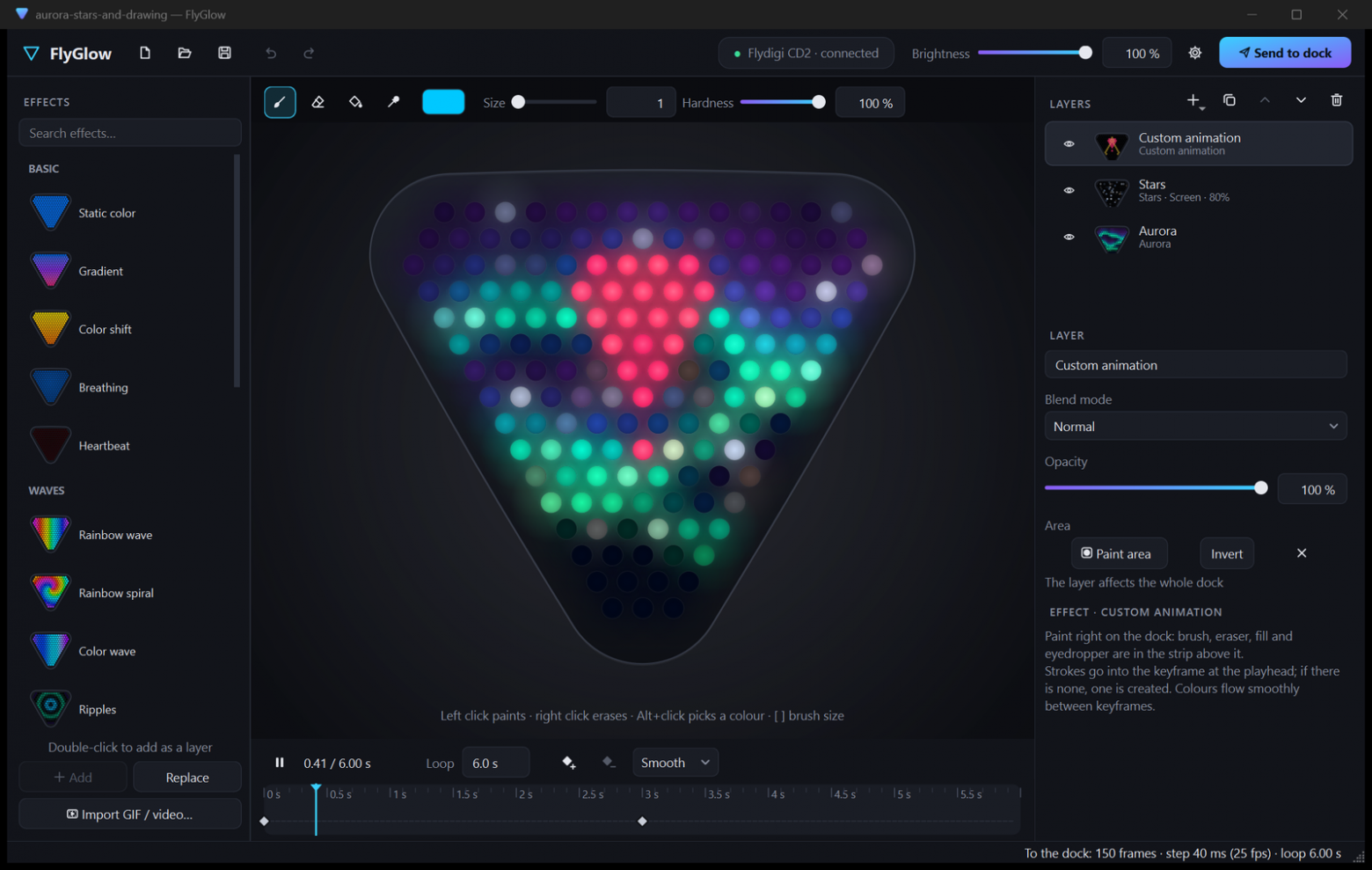
The rest is the UI, in C++20 and Qt 6 Widgets:
-
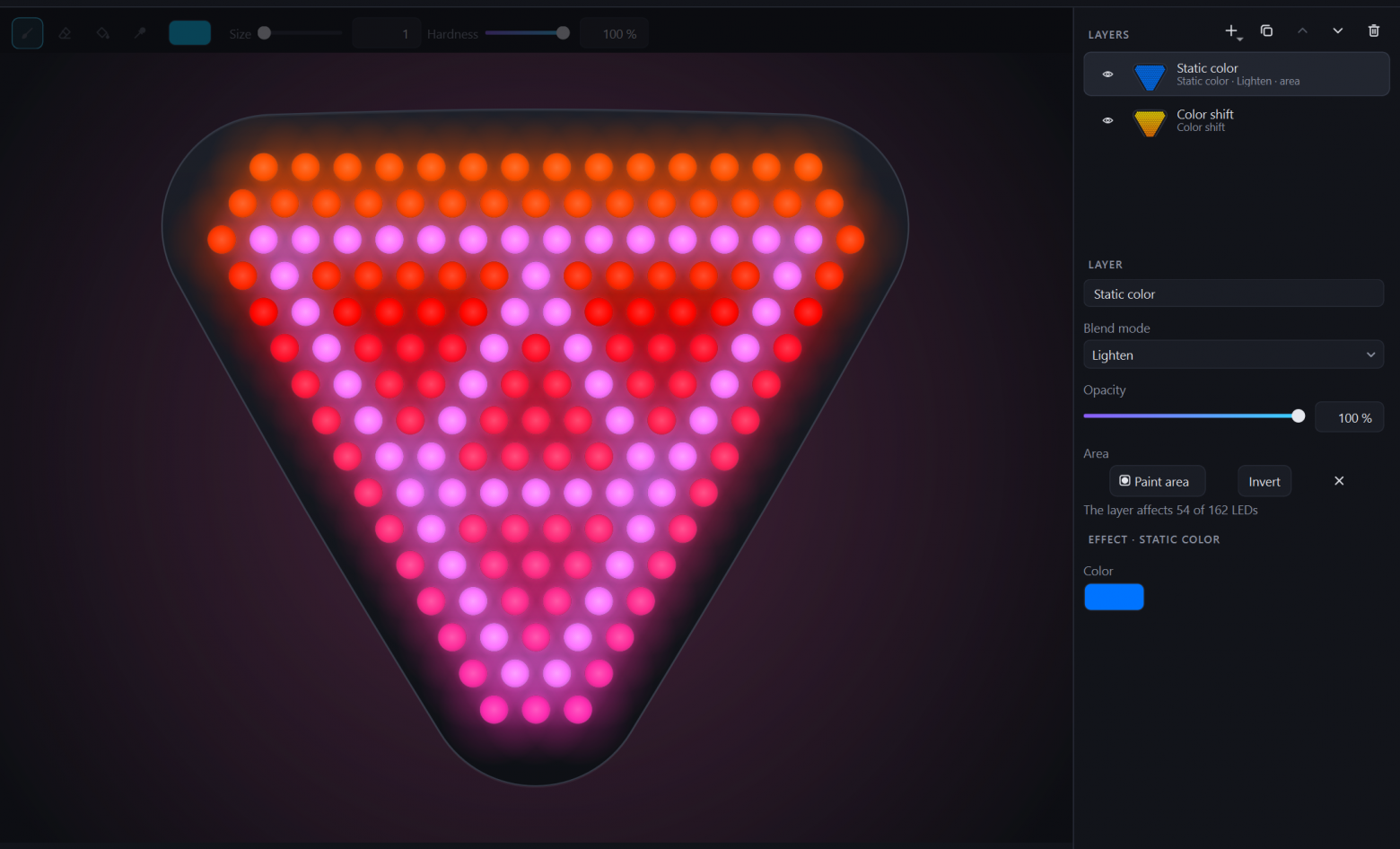
Layers with Normal, Add, Screen, Multiply and Lighten blend modes, opacity and an area painted with a brush.
-
Custom animation. The brush always snaps to the nearest LED and its size counts rings of the hex grid, so size 1 is exactly one LED. Keyframes sit on a timeline with OKLab interpolation between them. The left button paints, the right one erases.
-
GIF and video import. Video is decoded with Media Foundation, with no external dependencies. Each LED averages its hexagonal cell of the frame over 19 samples in linear light instead of taking a single pixel, so small details don’t flicker.
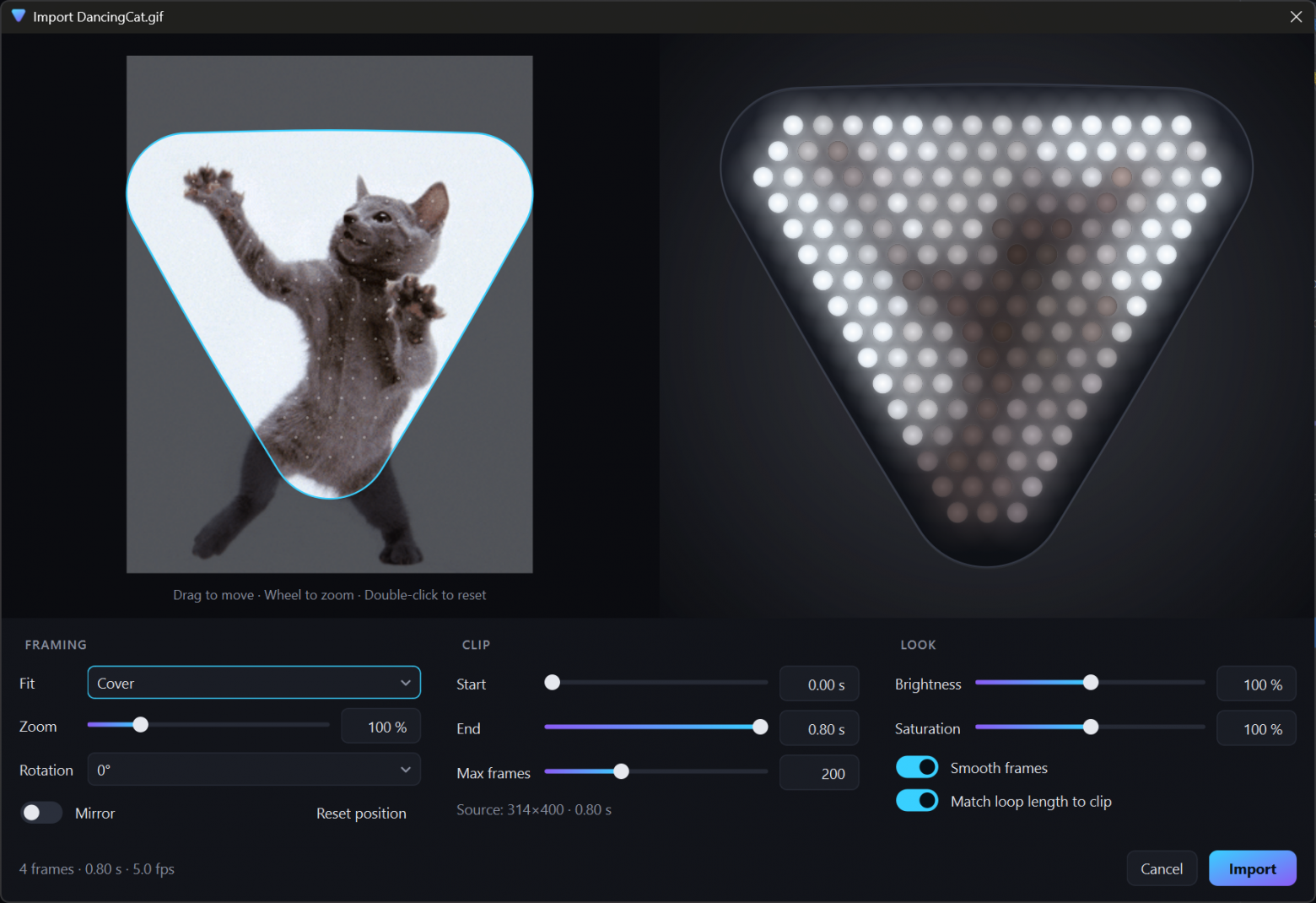
-
Upload is a button that fills up as progress, about 85 ms per frame.
What’s next
-
Controller lighting. The Apex 5 and Vader 5 Pro have their own lighting config, but with only about 10 frames per cycle, so the gain would be in color quality rather than smoothness.
-
The dock has a single-frame write command that Space Station doesn’t use. If it turns out to be fast, a live mode becomes possible: reacting to music or to what’s on screen, and from there OpenRGB integration.
The code is open under MIT, and an installer and a portable build are in the releases:https://github.com/PsinaDev/FlyGlow/releases/. If you have the same dock with a different firmware, a report on how everything works would help a lot.
ссылка на оригинал статьи https://habr.com/ru/articles/1095046/